Quran Widgets app icon Now on the App Store

Quran widgets for your Home and Lock Screen.
A verse, a dua, the next prayer — at a glance.

Quran Widgets is an iPhone app that helps you remember Allah every day: daily verses, hadith and duas on your Home and Lock Screen, prayer times with a Qibla compass, a tasbih counter for your dhikr, and the full Quran to read and listen to.

Every verse and hadith cited No account, no ads 15 languages
Quran widgets

Eight widgets for the Home and Lock Screen

Daily Ayah; Quotes, Dua & Ayah; Prayer Times; 99 Names of Allah; Hijri Date; Tasbeeh; Prayer Tracker; Reading Streak. Each can have its own wallpaper.

Daily Ayah Quotes, Dua & Ayah Prayer Times 99 Names of Allah Hijri Date Tasbeeh Prayer Tracker Reading Streak
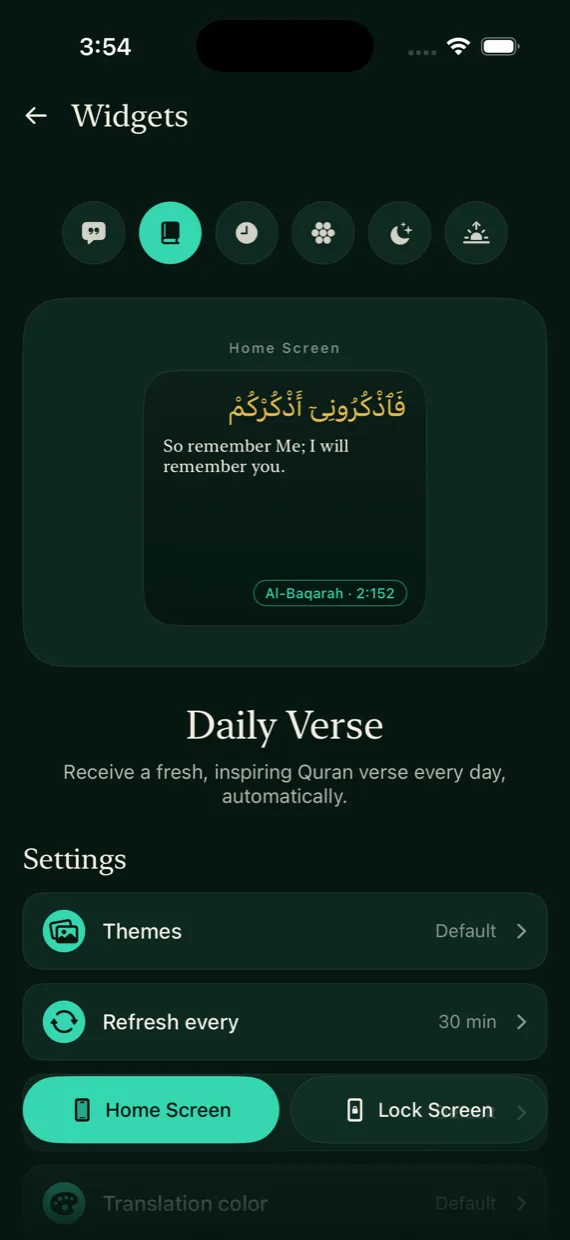
Widget settings in Quran Widgets
What's inside

Daily verses, hadith, dhikr and prayer times in one app

Everything below is in the app today. Quotations carry their source so you can check them.

Verses, hadith & duas

Over 8,600 cards in 32 topics, from patience to tawakkul: 2,490 Quran verses, 626 hadith, 40 Hadith Qudsi and the 99 Names of Allah, each cited, with short reflections of our own. Save favourites and share any card as an image.

Read & listen to the Quran

All 114 surahs in Uthmani script, with English, Urdu, Turkish and Russian translations and a transliteration. Gapless recitation by Shaykh Mahmoud Khalil Al-Husary, at 0.5x to 2x, keeps playing with your iPhone locked. Quran Practice shows one ayah at a time, in order, and counts your way through the whole Quran.

Prayer times, Qibla & tracker

Times for all five prayers with 11 calculation methods, alerts for the prayers you choose, and a Qibla compass. Mark each prayer, keep count of qada, and see your year of prayers and reading.

Duas, dhikr & a tasbih counter

75 supplications from the Quran and 149 daily duas, each cited. A tasbeeh with targets from 33 to 1,000. Daily readings and a guide to voluntary prayers.

Hijri calendar, Zakat & Mosque Finder

A Hijri calendar with the coming special days, a Zakat calculator, a Mosque Finder, and 2,100 messages for Jumu'ah, Ramadan, the Eids, weddings, condolences and more.

Wallpapers & icons

Islamic wallpapers, live ones among them, a choice of app icons, and light, green and dark looks.

Straight from the app

Four screens from the app

Real screenshots from the English version of the app, not mock-ups.

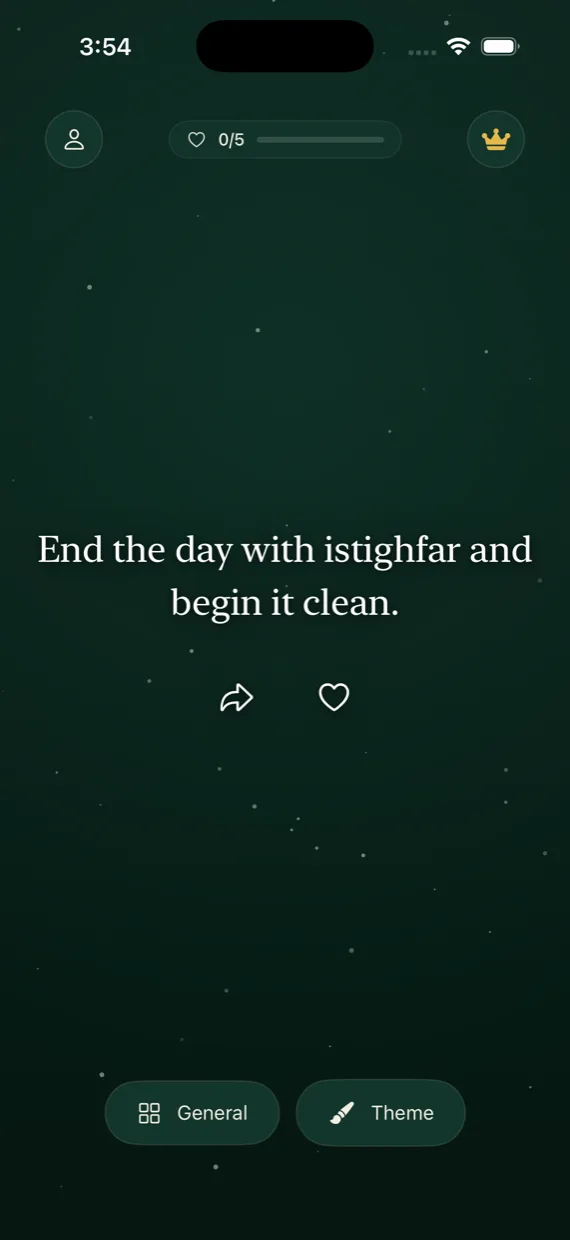
A card in the Quran Widgets feed
The feedSwipe for the next verse, hadith, dua or reflection.
The widget settings screen
WidgetsPick a widget and give it its own wallpaper.
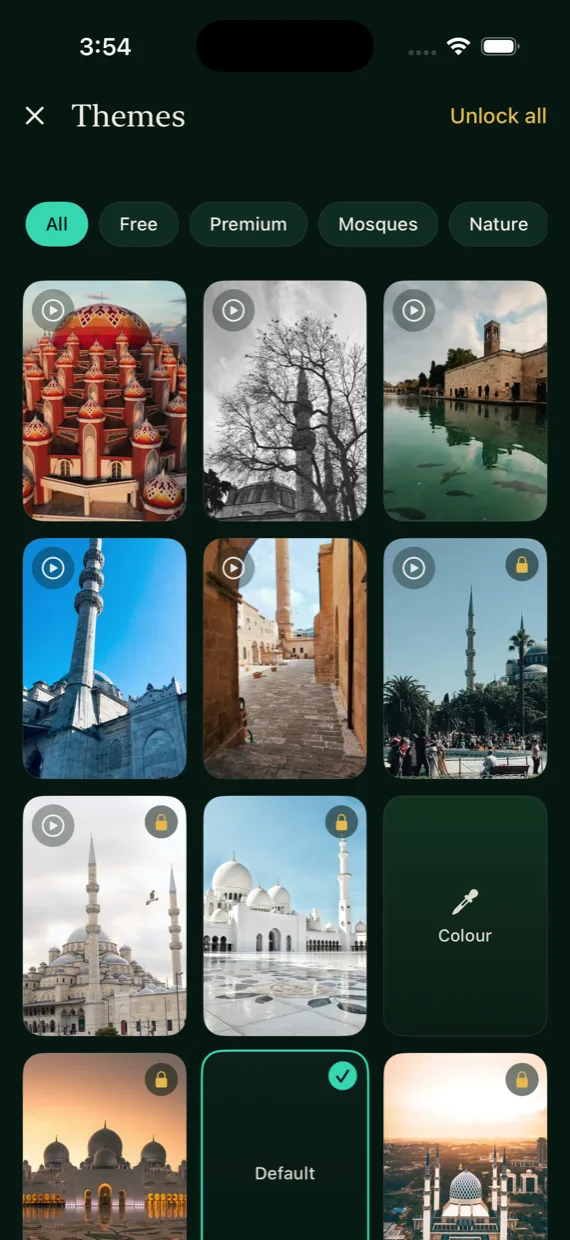
The wallpaper gallery
WallpapersIslamic wallpapers, live ones among them, and a choice of app icons.
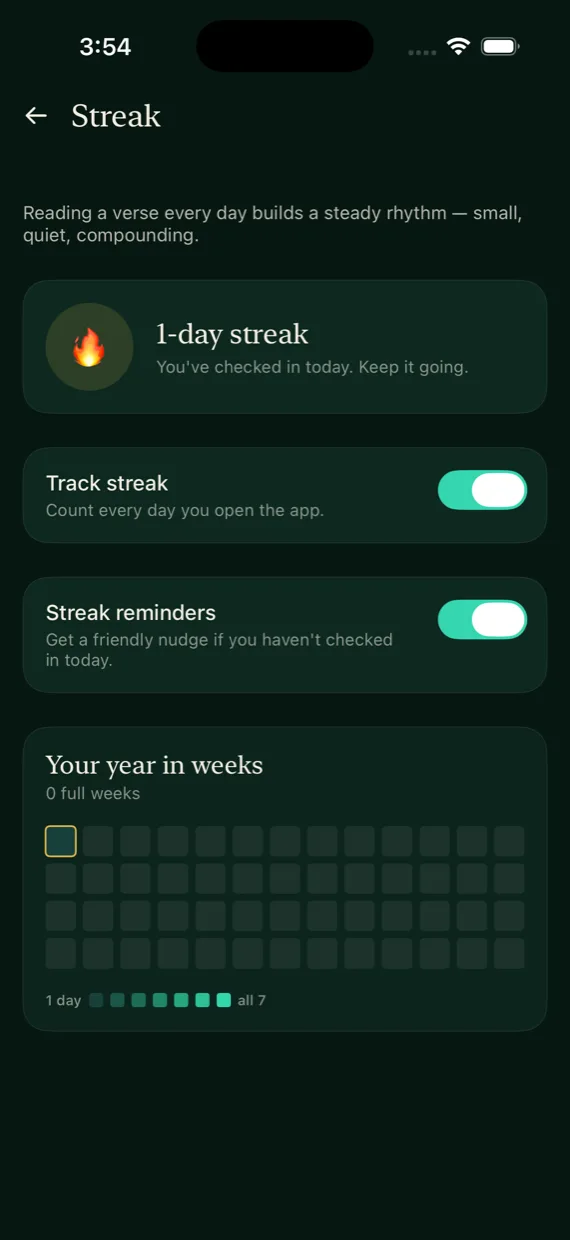
The reading streak screen
StreakA record of the days you read.
Free & Premium

Free to download, with an optional Premium

The Quran reader, recitation, prayer times, Qibla, tasbeeh, duas and six widgets are free. Premium adds the rest.

Free

No account needed
  • The Quran reader and recitation
  • Prayer times and the Qibla compass
  • Tasbeeh and duas
  • Six of the eight widgets
Questions

Questions about Quran Widgets

How do I add a Quran widget to my Home Screen?

Install Quran Widgets and open it once. Touch and hold an empty part of the Home Screen, tap Edit (or + on older iOS), then Add Widget. Search for Quran Widgets, choose a widget and a size, and tap Add Widget. For the Lock Screen, touch and hold the Lock Screen, tap Customize, choose the Lock Screen and tap the widget area.

Which widgets are there?

Eight: Daily Ayah; Quotes, Dua & Ayah; Prayer Times; 99 Names of Allah; Hijri Date; Tasbeeh; Prayer Tracker; and Reading Streak. They work on the Home Screen and the Lock Screen, and each can have its own wallpaper.

Which languages is the app in?

15: English, Arabic, Urdu, Hindi, Turkish, Indonesian, Malay, Russian, French, German, Spanish, Portuguese, Italian, Dutch and Azerbaijani. The Quran reader shows the Arabic in Uthmani script with English, Urdu, Turkish and Russian translations and a transliteration.

What is free, and what does Premium add?

The Quran reader, recitation, prayer times, Qibla, tasbeeh, duas and six widgets are free. Premium unlocks Quran Practice, prayer tracking and its two widgets, the Hijri calendar, Zakat calculator, Mosque Finder and messages, widget settings, every topic and wallpaper, and saving wallpapers to Photos. Plans and prices are shown in the app before you confirm.

Do I need an account? What about my privacy?

There is no account and no sign-in. Your favourites, notes, prayer settings and streak are stored on your iPhone. The app has no ads. It uses analytics tied to a random identifier, not your name. It asks Apple's tracking question once: if you allow it, your advertising identifier is shared with Meta to measure our own ads; if you don't, Meta receives only limited app events. The app works the same either way, and you can change your answer in Settings > Privacy & Security > Tracking. The Privacy Policy lists every service the app uses and what each one receives.

Does Quran Widgets work offline?

Yes, for reading. The Quran text and translations, hadith, duas and reflections are bundled with the app, and prayer times are calculated on your iPhone. Recitation audio, wallpaper downloads and the Mosque Finder need an internet connection.

Where do the verses and hadith come from?

The Arabic text is from Tanzil, reproduced exactly. Every translation is in the public domain, and the translators are named in Settings > Credits & sources. Each verse, hadith and dua is shown with its source; the short reflections are our own writing.

Will the prayer times match my mosque?

They are calculated on your iPhone from your location with the method you choose, out of 11. They can differ by a few minutes from your local mosque's timetable, so check them against it.
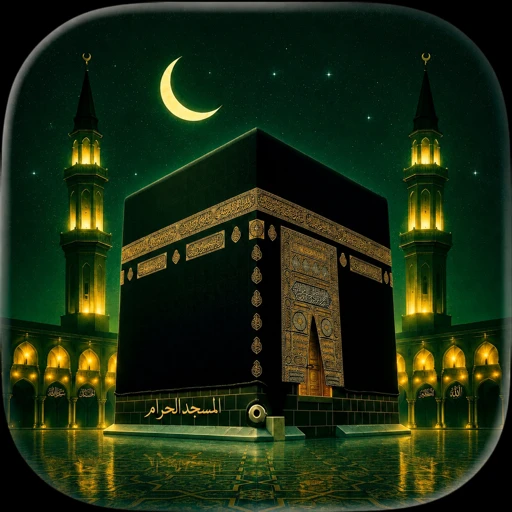
Quran Widgets is on the App Store.

Free to download. The Quran reader, recitation, prayer times, Qibla, tasbeeh, duas and six widgets cost nothing.